
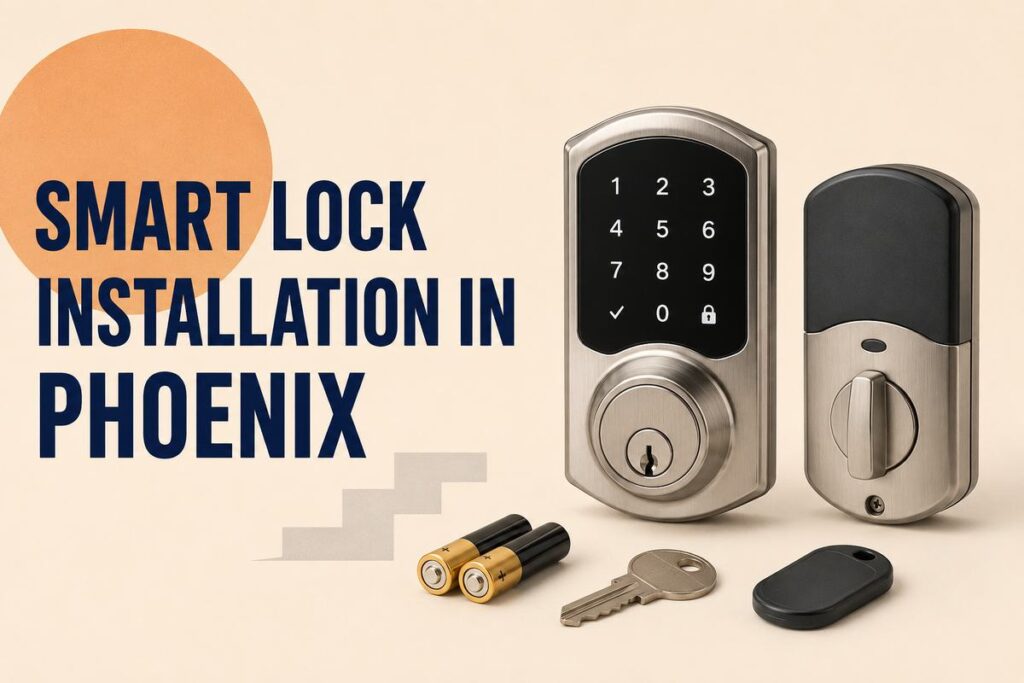
A smart lock can simplify how homeowners manage everyday access, but the hardware must match the door, household needs, and Phoenix climate. Direct sunlight, high exterior temperatures, dust, and seasonal storms can affect exposed electronic components differently than indoor equipment.
Smart Lock Installation in Phoenix should start with a compatibility review—not only a list of app features. Door thickness, existing bore holes, deadbolt alignment, power source, backup access, weather rating, and keypad placement all affect how the lock performs.
Locksmith Phoenix Mobile Locksmith helps homeowners evaluate compatible smart locks and install selected hardware correctly. Call (602) 834-2303 or use the contact page to discuss your entry door.
What Is a Smart Lock?
A smart lock is an electronic locking device that provides one or more alternatives to using a traditional house key. Depending on the model, access may be controlled through:
- A numeric keypad.
- A touchscreen.
- A mobile application.
- Bluetooth.
- Wi-Fi.
- A key fob.
- Fingerprint recognition.
- A mechanical backup key.
Some models replace the complete deadbolt assembly. Others replace only the interior thumbturn and continue using the existing exterior cylinder.
The best option depends on the door and how the household intends to manage access. Homeowners can review available installation considerations on the company’s Smart Lock Installation page.
Why Phoenix Weather Matters When Choosing a Smart Lock
Electronic locks installed on exterior doors may be exposed to conditions that indoor devices never encounter. Phoenix homeowners should consider the lock’s location before choosing a model.
Direct Sunlight
A west- or south-facing door may receive strong afternoon sunlight. The exterior keypad, finish, display, and electronic housing should be rated for the location where the lock will be installed.
Manufacturer specifications may include operating-temperature ranges and exposure guidelines. These details should be reviewed before purchasing the hardware.
High Exterior Temperatures
Air temperature and surface temperature are not always the same. Dark metal hardware exposed to direct sun may become considerably hotter than the surrounding air.
A lock should be selected according to its documented operating limits. Avoid assuming that every electronic deadbolt is equally suitable for an exposed Phoenix entry.
Dust and Fine Debris
Dust can accumulate around keyways, buttons, seams, and exterior components. Choose hardware designed for outdoor installation and follow the manufacturer’s cleaning instructions.
Avoid spraying unapproved lubricants or cleaning products into electronic components.
Monsoon Conditions
Wind-driven rain and debris can reach doors that are normally protected by an overhang. The lock’s exterior portion should have an appropriate weather rating for its installation location.
A weather-resistant exterior does not mean that every part of the lock can be exposed to unlimited moisture. Installation instructions and sealing requirements should be followed carefully.
Types of Smart Locks for Phoenix Homes
Keypad Smart Deadbolts
Keypad locks allow users to enter a numeric code. They can be useful for households that want keyless access without requiring every person to use a smartphone.
Many keypad locks permit several access codes, making it easier to assign separate codes to family members or approved visitors.
Bluetooth Smart Locks
Bluetooth locks connect to nearby authorized devices. They may not require a permanent internet connection for basic operation, although features vary by model.
Consider how every household member will enter the home if a phone is unavailable or has no battery power.
Wi-Fi-Connected Locks
Wi-Fi-enabled locks may provide remote status, notifications, and access management. Some locks connect directly to Wi-Fi, while others require a separate hub or bridge.
Homeowners should review account-security settings, app support, update policies, and what happens if the internet connection is unavailable.
Retrofit Smart Locks
A retrofit model replaces the interior thumbturn while preserving part of the existing deadbolt. This may be useful when a homeowner wants digital control without changing the exterior appearance.
The existing deadbolt still needs to operate smoothly. A retrofit device cannot correct a bolt that binds or a door that does not align with the frame.
Biometric Smart Locks
Some smart locks use fingerprint recognition. These models can be convenient, but homeowners should evaluate user enrollment, backup access, weather suitability, and how consistently the reader works in the intended location.
Check Door Compatibility Before Purchasing
A smart lock is not a universal component. Before buying one, check the physical measurements and condition of the door.
Important factors include:
- Door thickness.
- Bore-hole diameter.
- Backset measurement.
- Distance between existing lock components.
- Deadbolt type.
- Door handing when required.
- Strike-plate alignment.
- Clearance around decorative trim.
- Interior space for the battery compartment.
- Exterior exposure to sun and weather.
A locksmith can review these details before installation. If the current deadbolt is loose, damaged, or incompatible, Deadbolt Installation in Phoenix may be needed before adding electronic access.
A Smart Lock Cannot Fix a Misaligned Door
Electronic deadbolts require the bolt to move without excessive resistance. If the door must be lifted, pulled, or pushed before the deadbolt works, the smart lock’s motor may struggle to complete the locking cycle.
Before installation, confirm that:
- The door closes squarely.
- The bolt enters the strike plate without rubbing.
- The hinges are secure.
- The frame is not damaged.
- Weatherstripping does not prevent full closure.
- The existing bore holes are correctly positioned.
A smart lock may repeatedly report an error if the real problem is door alignment. That issue should be corrected instead of relying on the motor to force the bolt.
Homes with worn or unsuitable hardware can review Residential Lock Change service before selecting a new electronic lock.
Choose a Reliable Backup Access Method
Every smart lock should have a clear backup-access plan. The available method depends on the product.
Common backup options include:
- A mechanical key.
- External emergency battery contacts.
- A secondary authorized device.
- A physical keypad code.
- Access through another secured household entrance.
Store the backup key responsibly. Avoid leaving it under a mat, beside the door, or in another predictable outdoor location.
Household members should know what to do if the battery is depleted, the phone is unavailable, or the electronic feature does not respond.
If an authorized occupant cannot enter, the company’s Home Lockout Service can evaluate the lock and entry situation.
Battery Management in Phoenix
Smart locks usually rely on replaceable batteries. Battery performance can vary based on temperature, usage, wireless connectivity, motor resistance, and the lock model.
Practical battery-management habits include:
- Use the battery type recommended by the manufacturer.
- Do not combine old and new batteries.
- Do not mix different battery types.
- Respond to low-battery alerts.
- Keep approved replacement batteries available.
- Check battery contacts for visible damage.
- Investigate repeated battery drain instead of continually replacing batteries.
- Make sure door alignment is not forcing the motor to work harder.
If the lock begins operating slowly or inconsistently, review the battery condition and mechanical deadbolt movement.
Create a Clear Access-Code Plan
Smart locks can improve access organization when codes are assigned intentionally.
A household might create:
- One code for each adult resident.
- A separate code for an older child.
- A temporary code for a guest.
- A limited-use code for a housekeeper.
- A code for a trusted family member.
- A temporary code for an approved contractor.
Avoid using obvious combinations such as the home address, a birth year, or repeated numbers. Delete codes when access is no longer needed.
Do not share the primary administrator account with everyone who needs a door code. Administrative control should remain limited to responsible household members.
Smart Locks After Moving Into a New Home
Moving is a practical time to review all exterior locks. Installing a smart lock on one primary entrance does not automatically update the other doors.
A complete move-in plan may include:
- Installing a smart lock on the main entrance.
- Rekeying compatible secondary locks.
- Replacing damaged deadbolts.
- Removing old keypad codes.
- Updating garage-entry access.
- Confirming patio and gate locks.
- Controlling the number of new mechanical keys.
The company’s Lock Rekey Service in Phoenix can help prevent old mechanical keys from operating compatible locks that remain on the property.
Smart Locks for Rental Properties
Keypad access can help landlords and property managers manage tenant or guest changes, but it requires a documented process.
Property managers should determine:
- Who controls the administrator account.
- Who receives temporary codes.
- When codes are removed.
- Who replaces batteries.
- How backup keys are stored.
- What happens during a device failure.
- Which doors should remain on mechanical keys.
Larger properties may need a structured Master Key System or commercial access solution instead of consumer-grade smart locks on every door.
For offices, retail spaces, and professionally managed facilities, Commercial Lock Change service may provide a more suitable starting point.
Security and Account Maintenance
A smart lock introduces digital account management in addition to mechanical security.
Homeowners should:
- Use a unique account password.
- Enable additional account protection when supported.
- Keep the mobile application updated.
- Review authorized users regularly.
- Remove access for old phones or former residents.
- Install manufacturer-supported firmware updates.
- Avoid sharing administrator credentials through text messages.
- Confirm that recovery information belongs to the current homeowner.
The physical door still matters. Strong account security cannot compensate for a damaged frame, loose strike plate, or deadbolt that does not fully extend.
When to Call a Locksmith
Professional installation can be useful when:
- You are unsure which lock fits the door.
- The existing deadbolt does not align.
- The door has nonstandard measurements.
- Decorative trim limits available space.
- The current lock is damaged.
- You want to combine electronic and mechanical access.
- Several household locks need to be updated together.
- A failed smart lock has left an authorized occupant outside.
For urgent access concerns, review the Emergency Locksmith service.
Locksmith Phoenix Mobile Locksmith states that it has served the Phoenix area since 2010 and operates as a licensed, bonded, and insured mobile locksmith. Additional company information is available on its About Us page.
Smart Lock Installation Across Phoenix
The company provides mobile locksmith service throughout its Phoenix service area, including Alhambra, Maryvale, North Mountain, Sunnyslope, Encanto, Central Phoenix, Downtown, Midtown, Camelback East, Biltmore, Glendale, and Paradise Valley.
The appropriate hardware may differ between a shaded apartment entry, an exposed west-facing residential door, and a protected interior office entrance. Product selection should reflect the actual installation environment.
Smart Lock Installation in Phoenix: Frequently Asked Questions
Can Arizona heat affect a smart lock?
Can a smart lock be installed on any door?
Do smart locks still have physical keys?
What happens when a smart lock battery is depleted?
Does a smart lock need Wi-Fi?
Can I create temporary codes for visitors?
Why does my smart deadbolt fail to lock completely?
Can a locksmith install a smart lock I already purchased?
Should I rekey other doors after installing a smart lock?
Are smart locks suitable for rental properties?
Final Thoughts
Smart Lock Installation in Phoenix works best when the lock is compatible with the door, rated for the installation location, supported by a backup-access plan, and installed on a smoothly operating deadbolt.
Choose features that solve real household access needs, review the manufacturer’s operating specifications, and maintain both the electronic and mechanical components.
For help evaluating or installing compatible smart-lock hardware, call Locksmith Phoenix Mobile Locksmith at (602) 834-2303 or request service online.
